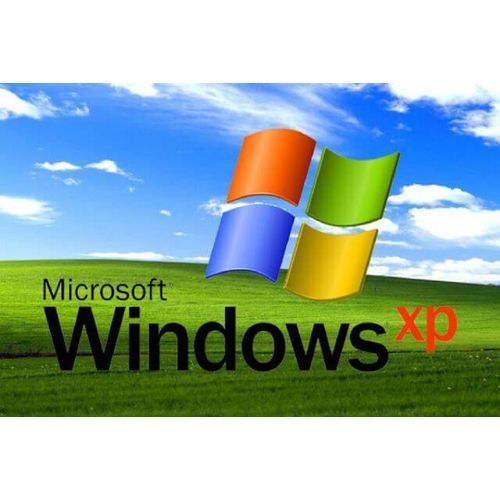
Dvd Microsoft Windows XP Professional

5 Verified Reviews 0 Questions Asked In Stock
UGX 45,000
Store NameVenus General Store
Product CodeDTY38215
Delivery Time (Min)Less than 24hrs
Delivery Time (Max)3 days
Shipping FeesApproximately UGX 7,800
Minimum Items1 items /order

Payment Methods

Created by potrace 1.10, written by Peter Selinger 2001-2011

About this Item

Microsoft Windows XP Professional OverviewAlthough Microsoft has ended support for Windows XP but still it is widely used across the world because of its fast speed and reliability. It is compatible with all SATA drives with all the basic necessaries a computer system need. Some of the required fixes are also made in this update with many security and network enhancements. Windows XP Professional SP3 has all the preloaded drivers for SATA drives. With older systems, you don’t need to install the drivers for Sound and Graphics card. The user-friendly environment with eye-catching visual styles and effects made it more popular.More than 1000 fixes are made in this release. All new features including Flash Player 11, and Internet Explorer 8, and Windows Media Player has made this operating system even more interesting. It is based on Windows 2003 Server’s Kernel.Features of Windows XP ProfessionalNX APIsBlack hole routerSHA-2 SignaturesNetwork Access ProtectionGroup PolicySecurity Support providerGroup policyImaging ComponentsBackground Intelligent transferManagement Console 3.0WPA 2Windows Script 5.7Enhancements in Windows InstallerImproved Wireless LANPowerful and user-friendlySignificant updateDirectX 8.1Faster user switchingImproved Media CenterNative support for the ZIP filesSupport for Microsoft WindowsTechnical Details About Windows XP ProfesionalSoftware Name: Windows XP Professional SP3Software File Name: Windows-XP-Professional-SP3-x86-Integral-Edition-Software Version: SP3 June 2022File Size: 1 GBDeveloper: MicrosoftSystem Requirements for Windows XP ProfesionalInstalled Memory (RAM): Minimum 1 GB RecommendedProcessor: Intel Pentium 4 or higherFree Hard Drive Space: Minimum10 GB for InstallationHOW TO INSTALL WINDOWS xpoption 1From the Manufacturer: To install a fresh copy of windowsxp. Turn off your PC2. Insert this dvd Windows in Drive 3. Turn on your system and press your System boot option key (Esc, F2, F12 etc.) Refer to your PC manual for your boot key.4. Choose this dvd then select the windows and follow through to the end.Step 1: Insert Your Windows XP Bootable Disk. ...Step 2: How to Boot From a CD.Step 3: Beginning the Process. ...Step 4: Licensing Agreement and Begin Setup. ...Step 5: Deleting the Current Partition. ...Step 6: Beginning the Install. ...Step 7: Choosing the Type of Installation.Step 8: Allowing Windows XP to Install.Please check youtube for more detailed tutorial

Specifications
Product Name Dvd Microsoft Windows XP Professional
Brand Dvd
Weight 1 Kg
Package Content
Warrant 0
Color
Keywords
Features
  • NX APIs
  • Black hole router
  • SHA-2 Signatures
  • Network Access Protection
  • Group Policy
  • Security Support provider
  • Group policy
  • Imaging Components
  • Background Intelligent transfer
  • Management Console 3.0
  • WPA 2
  • Windows Script 5.7
  • Enhancements in Windows Installer
  • Improved Wireless LAN
  • Powerful and user-friendly
  • Significant update
  • DirectX 8.1
  • Faster user switching
  • Improved Media Center
  • Native support for the ZIP files
  • Support for Microsoft Windows
  • Software Name: Windows XP Professional SP3
  • Software File Name: Windows-XP-Professional-SP3-x86-Integral-Edition-
  • Software Version: SP3 June 2022
  • File Size: 1 GB
  • Developer: Microsoft
  • Installed Memory (RAM): Minimum 1 GB Recommended
  • Processor: Intel Pentium 4 or higher
  • Free Hard Drive Space: Minimum10 GB for Installation
  • Step 1: Insert Your Windows XP Bootable Disk. ...
  • Step 2: How to Boot From a CD.
  • Step 3: Beginning the Process. ...
  • Step 4: Licensing Agreement and Begin Setup. ...
  • Step 5: Deleting the Current Partition. ...
  • Step 6: Beginning the Install. ...
  • Step 7: Choosing the Type of Installation.
  • Step 8: Allowing Windows XP to Install.
  • NX APIs
  • Black hole router
  • SHA-2 Signatures
  • Network Access Protection
  • Group Policy
  • Security Support provider
  • Group policy
  • Imaging Components
  • Background Intelligent transfer
  • Management Console 3.0
  • WPA 2
  • Windows Script 5.7
  • Enhancements in Windows Installer
  • Improved Wireless LAN
  • Powerful and user-friendly
  • Significant update
  • DirectX 8.1
  • Faster user switching
  • Improved Media Center
  • Native support for the ZIP files
  • Support for Microsoft Windows
  • Software Name: Windows XP Professional SP3
  • Software File Name: Windows-XP-Professional-SP3-x86-Integral-Edition-
  • Software Version: SP3 June 2022
  • File Size: 1 GB
  • Developer: Microsoft
  • Installed Memory (RAM): Minimum 1 GB Recommended
  • Processor: Intel Pentium 4 or higher
  • Free Hard Drive Space: Minimum10 GB for Installation
  • Step 1: Insert Your Windows XP Bootable Disk. ...
  • Step 2: How to Boot From a CD.
  • Step 3: Beginning the Process. ...
  • Step 4: Licensing Agreement and Begin Setup. ...
  • Step 5: Deleting the Current Partition. ...
  • Step 6: Beginning the Install. ...
  • Step 7: Choosing the Type of Installation.
  • Step 8: Allowing Windows XP to Install.
  • 1.DVD Software for Windows xp
  • 2.manual

More from Generic


Customer questions & answers

No questions yet. Be the first to ask a question!

Product Image

How much is dvd microsoft windows xp professional?

The price of Dvd Microsoft Windows XP Professional in Uganda is UGX 45,000.


Customer Reviews

   4.75 out of 5

Quality Rating
5 Star
60%
60%
4 Star
20%
20%
3 Star
0%
0%
2 Star
0%
0%
1 Star
0%
0%
How are ratings calculated?

To calculate the overall star rating and percentage breakdown by star, we don’t use a simple average. Instead, our system considers things like how recent a review is and if the reviewer bought the item on Dantty. It also analyzes reviews to verify trustworthiness.


Review this product

Share your thoughts with other customers

Write a customer review

No reviews yet. Be the first to leave a review!

Best Sellers in General

Customers who viewed this also viewed

Customers frequently viewed