About this Item
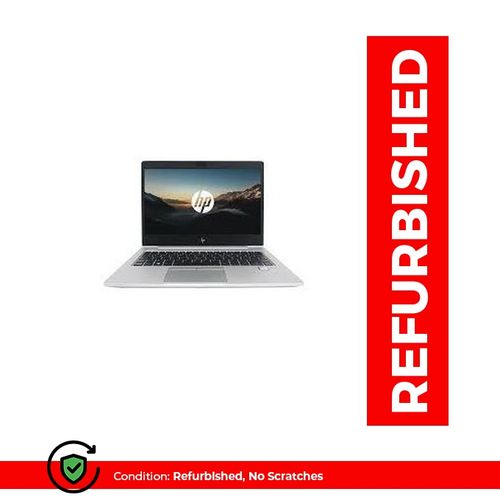
The HP EliteBook 1030 G2 is clad in a
precision-cut, silver CNC aluminum unibody frame with diamond-cut accents, and
boasts a lot of functionality packed into its small build.From a convenient
spill-resistant backlit keyboard with adjustable brightness to biometric
security features, even its core convertibility features don’t come at the cost
of sacrificing space or performance.
Compact and easy to carry or hold
This laptop is incredibly slim and measures just
15 mm thick from top to bottom. Overall, its body is 12.48 x 8.6 x 0.59 inches,
which makes it easy to stow and go in just about any bag or carrying case you
prefer.
Preloaded with Windows 10 Pro 64
If you’re looking for a little more than just
the standard OS, you’ll be happy to hear each configuration ships preloaded
with Windows 10 Pro 64. With the Pro version of Windows 10, you’ll gain access
to a variety of features that support stronger collaboration, manageability,
and security across the board.
Multiple work modes for improved use
When we think of the workspace, many of us still
imagine a traditional setup with a desk, PC, and monitor. But flexibility is
becoming increasingly important in our modern work environments, which is
exactly why the HP
EliteBook 1030 G2 was designed with five work modes.Not
only that, but the keyboard and hinge were built to function quietly, so converting
the laptop from one mode to the next is discrete and comfortable.
Traditional laptop mode
Laptop mode is the traditional, classic way of
using your computer’s keyboard and display. It’s rooted in the typical
workspace layout, but designed to be comfortable.That’s because of this HP
EliteBook’s small measurements and surprisingly low weight, which also make it
less obtrusive. That’s especially true for when you have to commute or travel
for work.
Presentations and video with tent mode
For uninterrupted views when streaming or
sharing, tent mode offers a display-focused view with the keyboard flipped
backward. Your device is still easy to move and turn in this position thanks to
the light weight, while it faces minimal risk of damage or distortion thanks to
the strong exterior casing.
Extra stability with stand mode
When you’re by yourself and focused on
streaming, you may prefer a configuration focused more on stability then
sharing. That’s the intention for media/stand mode, which involves flipping
your keyboard back behind your display to provide an even more stable setup for
you enjoy your favorite media.
Great audio and easy collaboration with
conference mode
Conference mode is a great option when
collaboration or group work is on the agenda. To do this, you’ll just lay your
display back to be flush with the keyboard.This mode allows you to get the most
out of the stellar Bang & Olufsen audio along with the integrated
dual-microphone array and quad stereo speakers.Built-in noise cancellation also
helps provide greater clarity during calls with multiple people speaking, or
when other people on the call may be subject to environmental interference.
Go mobile in tablet mode
Tablet mode is optimized for mobility and touch
screen use. Just fold your display against the back of your keyboard and you’ll
be ready to go.
Plenty of built-in ports and connections
This laptop comes with a surprisingly full suite
of ports and connections for its size, including a combination
headphone/speaker jack. It also boasts a USB Type-C™ with
Thunderbolt™, 2
USB 3.1 ports, a standard HDMI 1.4 connection, external micro SIM, and a
microSD card port.With these options available, you’ll be able to connect your
legacy peripherals to seamlessly blend the HP EliteBook into your existing
routine.
The right tool for the job
Whether
your workday is tied to more conventional areas like the office and conference
spaces, or dominated by movement and travel, you’ll be good to go with this
laptop. That’s particularly true if you want to cut extra devices from your
routine, such as a tablet.This HP EliteBook offers the solid specs and
durability necessary to keep you working comfortably across a range of
different scenarios, whether you’re working alone in the office, illustrating
your latest project on the train, or holding a conference call with staff
halfway across the globe.